Product
Everything Noted does today
This page only lists features that are live. Planned work is on the roadmap. All screenshots use made-up demo data.
Voice and text logging
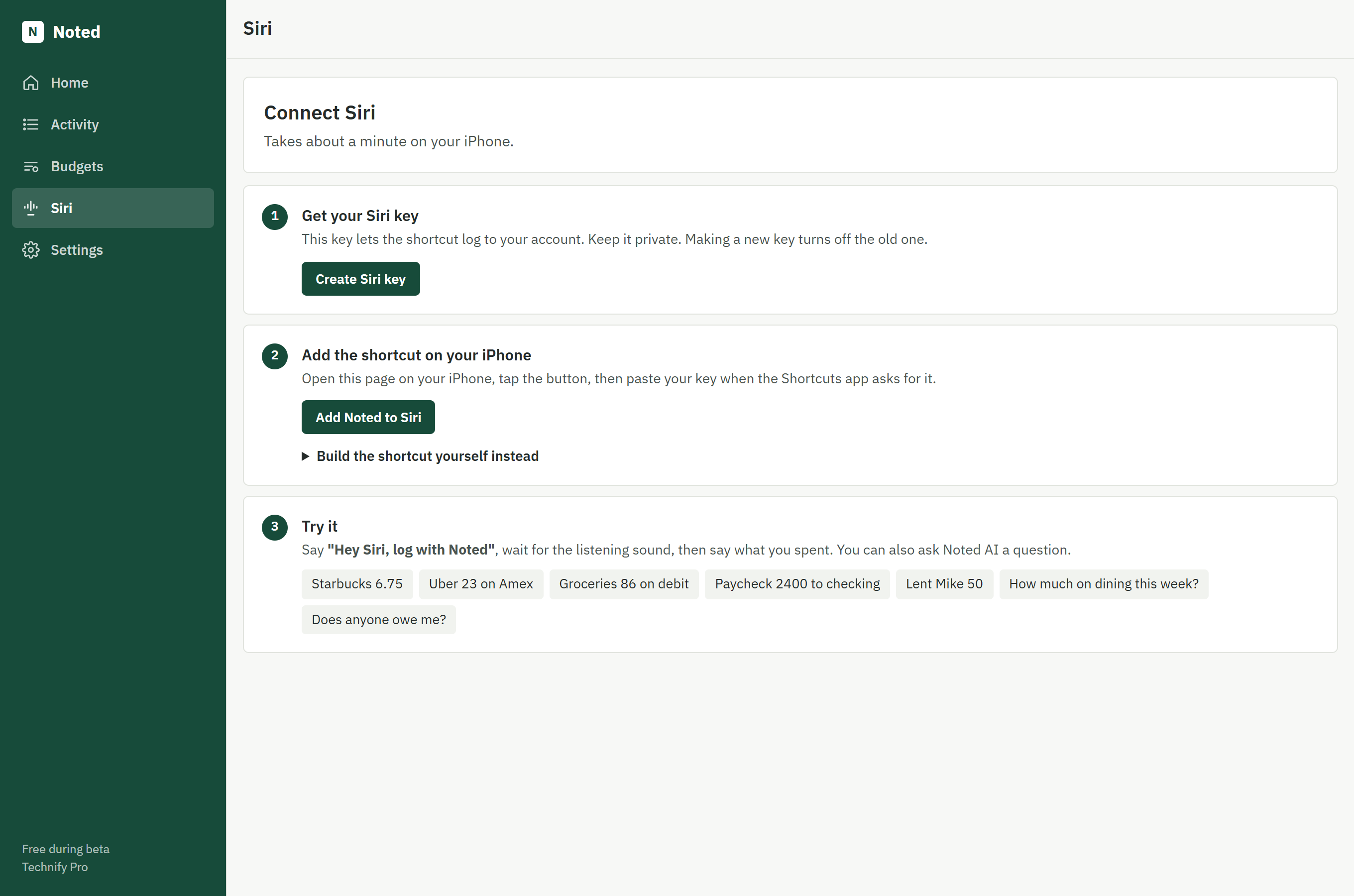
Log an expense, income, transfer or loan by talking to Siri or typing one sentence on your dashboard.
The problem it solves: Manual entry takes long enough that people stop doing it.
How you use it: Say "Hey Siri, log with Noted", then say something like "Uber 23 on Amex". Siri reads back what was saved.
Automatic categorization
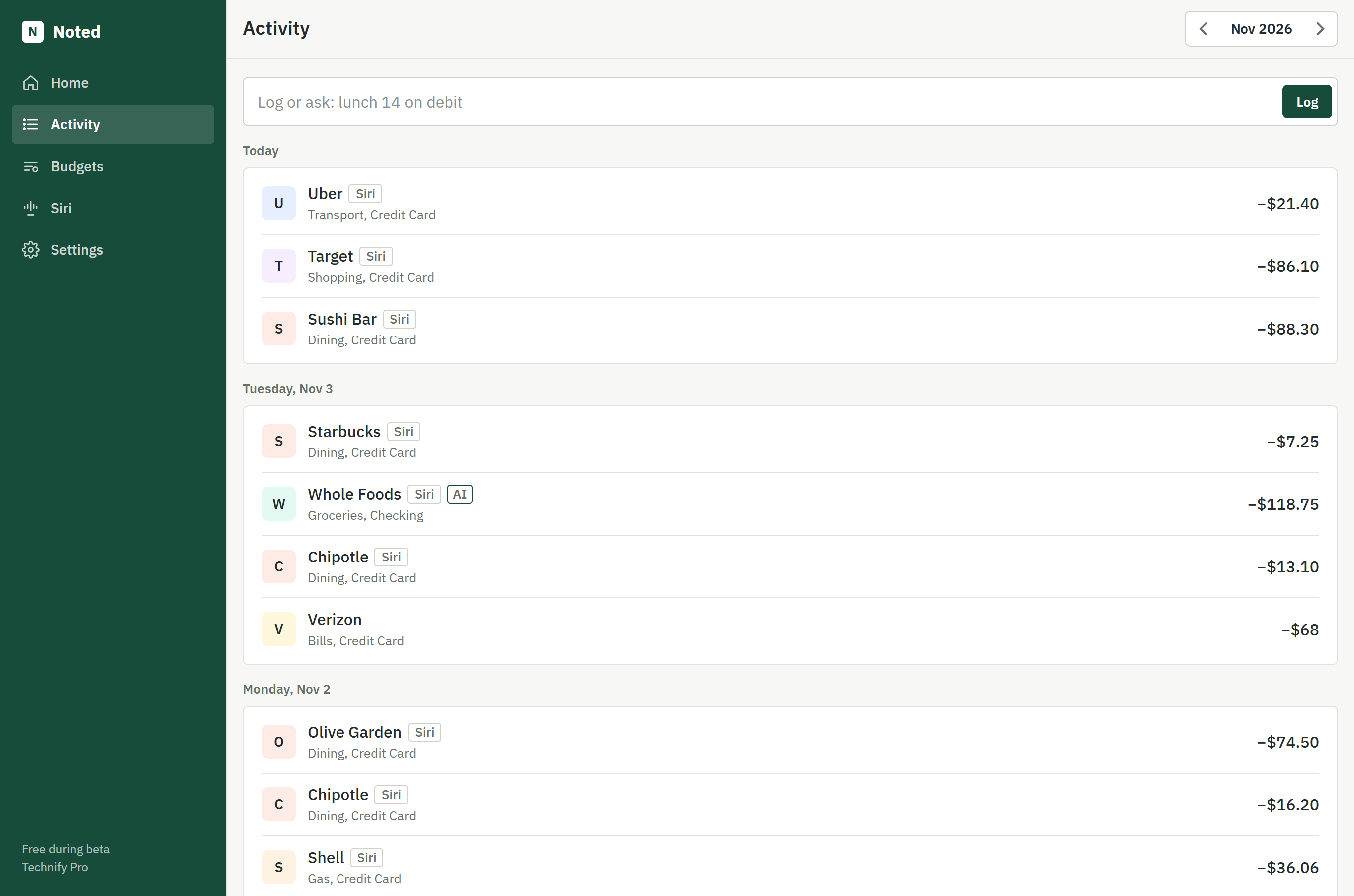
Noted pulls out the amount, store, category, account and date, using an AI language model, with code checking the result.
The problem it solves: Choosing a category and account for every purchase is tedious.
How you use it: Just say the purchase. Entries the AI understood carry an AI label, and you can edit any of them.
Budgets
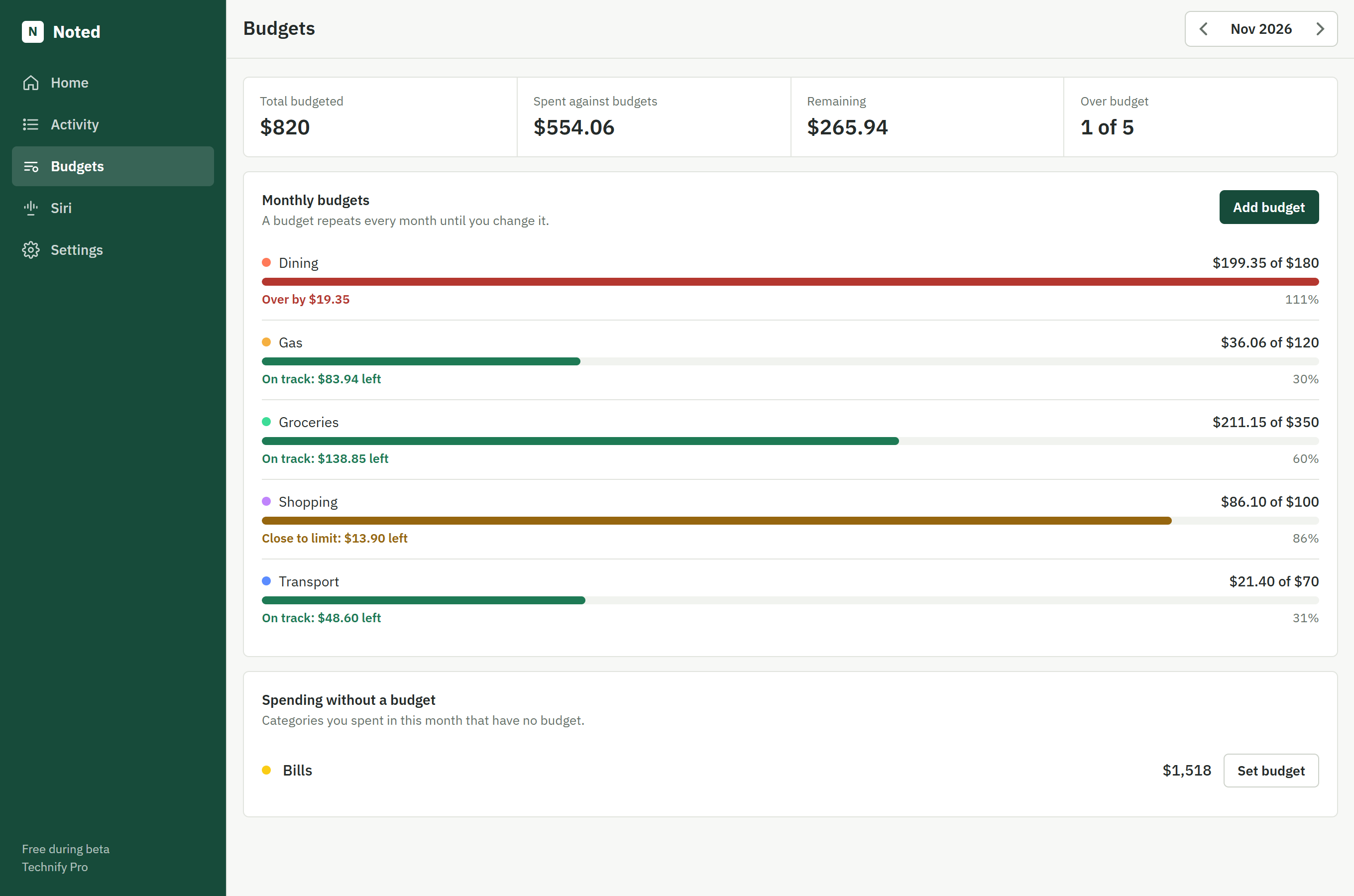
Set a monthly limit for any spending category and see how much is left, what's close to the limit, and what's over.
The problem it solves: Totals tell you what you spent, but not whether it was too much.
How you use it: Add a budget on the Budgets tab. It repeats each month until you change it, and Noted AI can answer questions about it.
Dashboard and charts
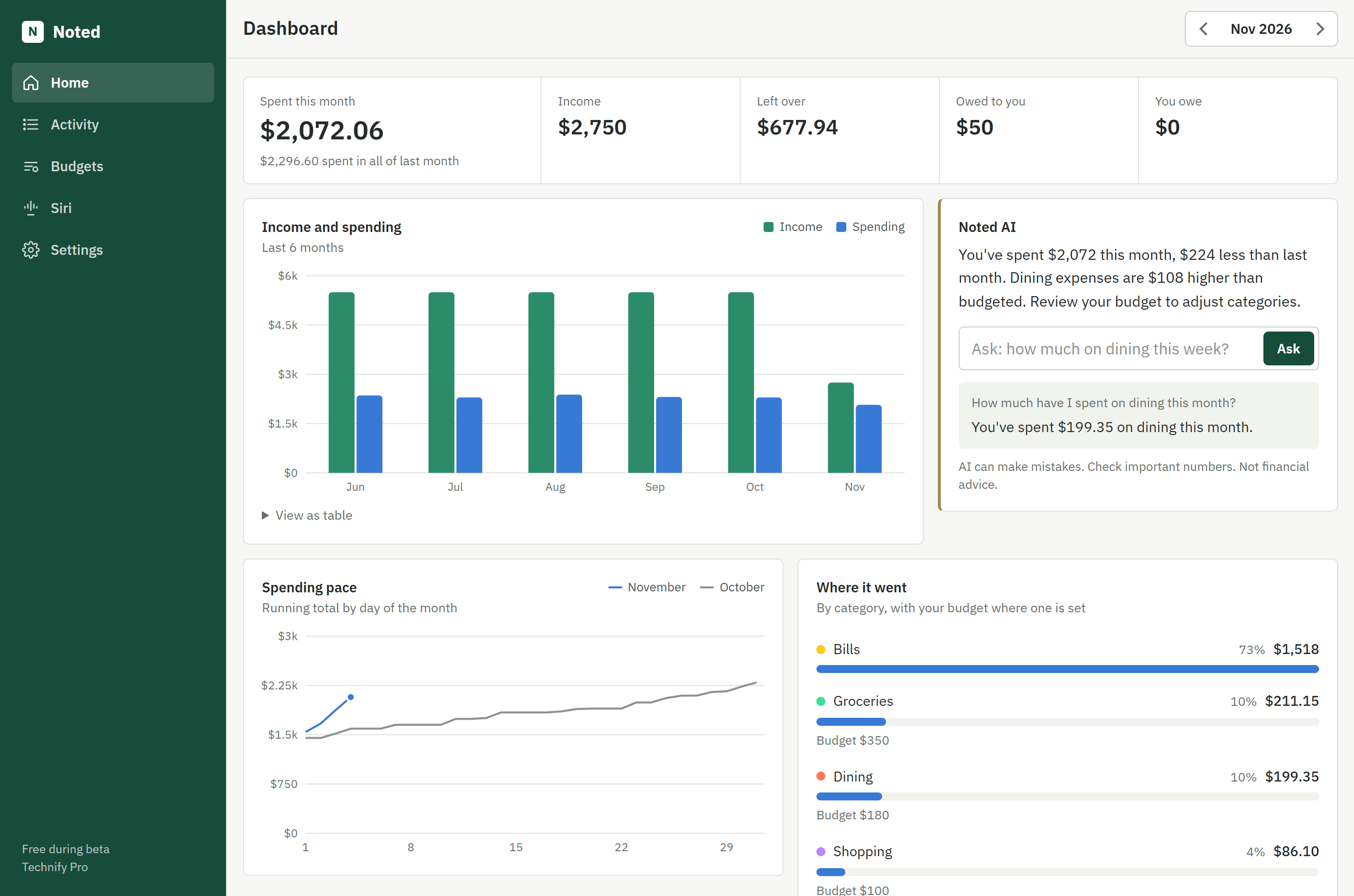
See six months of income and spending, your running total against last month, and spending by category.
The problem it solves: A list of transactions doesn't show you trends.
How you use it: Open the dashboard on any screen and move between months. Hover or tap a chart for exact figures.
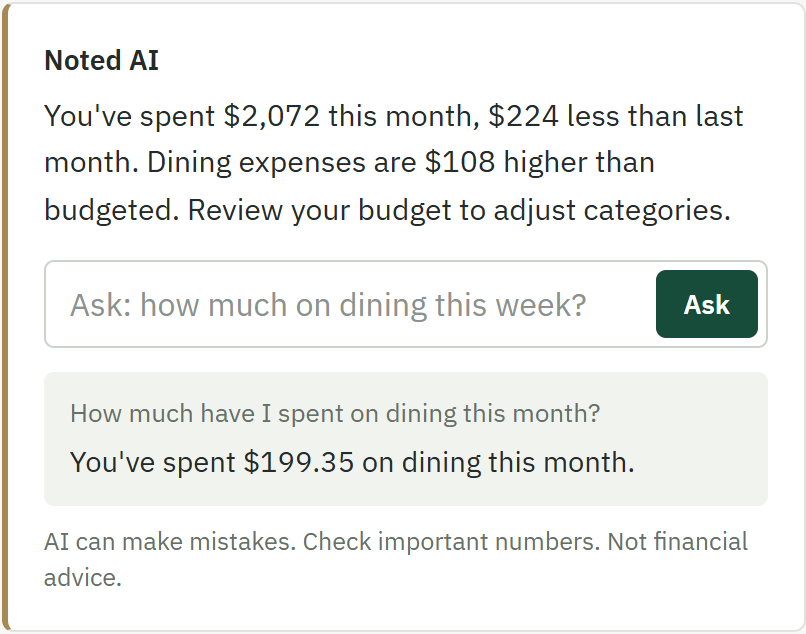
Questions and monthly insights
Ask about your spending in plain English, and get a short written summary of the month compared with last month.
The problem it solves: Finding a simple answer in your records usually takes filters and arithmetic.
How you use it: Type a question on the dashboard, or ask through Siri to hear the answer. Questions are limited to 40 a day during beta.
Accounts and money between friends
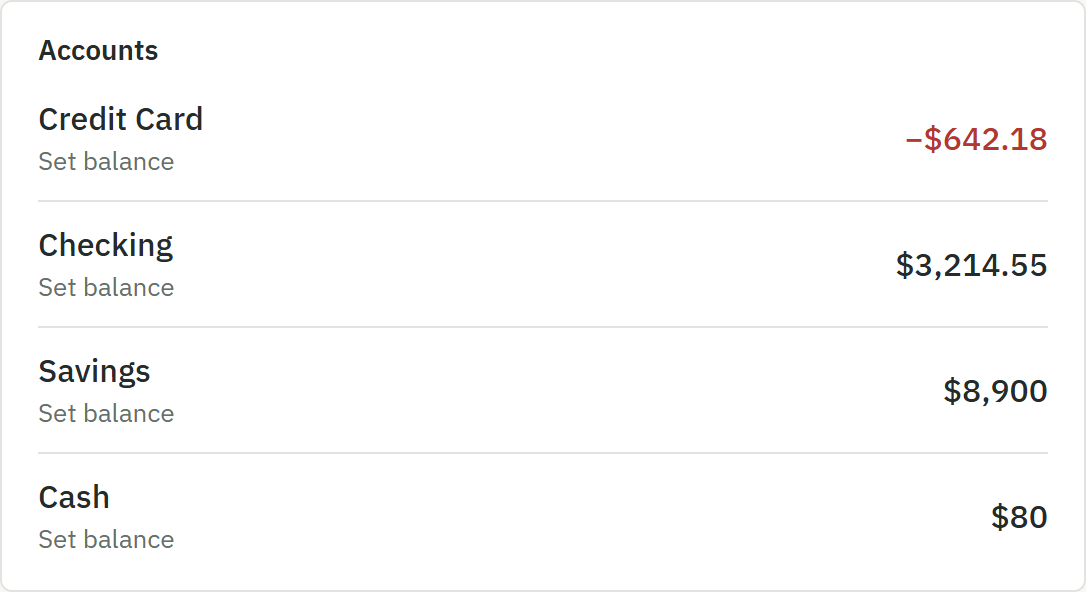
Keep running balances for your accounts, and track who owes who when you lend or borrow.
The problem it solves: Small loans between friends are easy to forget.
How you use it: Say "Lent Mike 50". Noted keeps the total until you log the repayment.
Your data stays yours
Export every entry as a CSV file and delete your account from Settings at any time. Noted doesn't connect to your bank, so it only knows what you log.
Not available yet
Noted doesn't have savings goals, bank connections, or unusual-spending alerts. Goals are on our roadmap.
Your next purchase is one sentence away.
Free during beta. No bank login and no card required.
Create free account